Average Ratings 0 Ratings
Average Ratings 1 Rating
Similar Products
-
Google Cloud SQLCloud SQL is a fully managed relational database service that supports MySQL, PostgreSQL, and SQL Server. It includes rich extensions, configuration flags, and developer ecosystems. Cloud SQL offers $300 in credits for new customers. You won't pay until you upgrade. Reduce maintenance costs by using fully managed MySQL, PostgreSQL, and SQL Server databases. The SRE team provides 24/7 support for reliable and secure services. Data encryption in transit and at rest ensures the highest level of security. Private connectivity with Virtual Private Cloud, user-controlled network access, and firewall protection add an additional layer of safety. Compliant with SSAE 16, ISO 27001, PCI DSS, and HIPAA, you can trust your data to be protected. Scale your database instances with a single API request, whether you are just testing or need a highly available database in production. Standard connection drivers and integrated migration tools let you create and connect to a database in a matter of minutes. Transform your database management with AI-driven support in Gemini, currently available in preview on Cloud SQL. It enhances development, optimizes performance, and simplifies fleet management, governance, and migration.
-
WindocksWindocks provides on-demand Oracle, SQL Server, as well as other databases that can be customized for Dev, Test, Reporting, ML, DevOps, and DevOps. Windocks database orchestration allows for code-free end to end automated delivery. This includes masking, synthetic data, Git operations and access controls, as well as secrets management. Databases can be delivered to conventional instances, Kubernetes or Docker containers. Windocks can be installed on standard Linux or Windows servers in minutes. It can also run on any public cloud infrastructure or on-premise infrastructure. One VM can host up 50 concurrent database environments. When combined with Docker containers, enterprises often see a 5:1 reduction of lower-level database VMs.
-
DbVisualizerDbVisualizer is one of the world’s most popular database clients. Developers, analysts, and DBAs use it to advance their SQL experience with modern tools to visualize and manage their databases, schemas, objects, and table data and to auto-generate, write and optimize queries. It has extended support for 30+ of the major databases and has basic-level support for all databases that can be accessed with a JDBC driver. DbVisualizer runs on all major OSes. Free and Pro versions are available.
-
ParasoftParasoft's mission is to provide automated testing solutions and expertise that empower organizations to expedite delivery of safe and reliable software. A powerful unified C and C++ test automation solution for static analysis, unit testing and structural code coverage, Parasoft C/C++test helps satisfy compliance with industry functional safety and security requirements for embedded software systems.
-
Curtain LogTrace File Activity MonitoringIn the daily work environment, companies often need to authorize their employees to access and use sensitive company data. However, most companies lack visibility into how their employees are actually utilizing this data, and whether any misuse is occurring. At the same time, companies have to meet internal audit requirements and comply with various data security regulations and policies. This creates a need for the IT department to find ways to effectively monitor and record how employees are accessing and using the company’s data resources. Curtain LogTrace provides enterprise-wide file activity monitoring. It tracks user actions: create, copy, move, delete, rename, print, open, close, save. Includes source/destination paths and disk type. Perfect for monitoring user file activities. Key Features: - File log (create & delete file) - File log (copy & move file) - File log (print & rename file) - App log (save, open & close file) - Support MySQL & MS SQL - Watermark for printout - Central administration - Integration with Active Directory - Uninstall password for client - Password management - Admin delegation - Self protection for the software
-
RaimaDBRaimaDB, an embedded time series database that can be used for Edge and IoT devices, can run in-memory. It is a lightweight, secure, and extremely powerful RDBMS. It has been field tested by more than 20 000 developers around the world and has been deployed in excess of 25 000 000 times. RaimaDB is a high-performance, cross-platform embedded database optimized for mission-critical applications in industries such as IoT and edge computing. Its lightweight design makes it ideal for resource-constrained environments, supporting both in-memory and persistent storage options. RaimaDB offers flexible data modeling, including traditional relational models and direct relationships through network model sets. With ACID-compliant transactions and advanced indexing methods like B+Tree, Hash Table, R-Tree, and AVL-Tree, it ensures data reliability and efficiency. Built for real-time processing, it incorporates multi-version concurrency control (MVCC) and snapshot isolation, making it a robust solution for applications demanding speed and reliability.
-
ConcordConcord Horizon is an AI native contract platform built from a complete rewrite of Concord’s technology, applying ten years of experience to a modern architecture for faster and more accurate contract work. The redesigned interface offers light and dark mode, collapsible navigation, full screen focus, custom columns, advanced filtering, and consistent tables across modules. AI Copilot supports natural language questions, contract summaries, key point extraction, and fast portfolio insights, while AI Search adds lexical and semantic search with improved performance and multi actions on results. MCP brings contract intelligence into AI tools like ChatGPT and Claude for summaries, tables, or automated monitoring. Concord applies a strict zero data retention policy with AI partners and never uses customer data to train AI models .
-
Checksum.aiEngineering teams shipping with AI have a new bottleneck: validation. Code output has accelerated. Quality hasn't. Checksum closes the gap. Checksum is a continuous quality platform with a suite of AI agents that handle testing end-to-end, at every stage of the development lifecycle. Where most tools wait for a human to trigger them, Checksum runs autonomously in the background, generating tests, executing them, and repairing failures without manual intervention. Seventy percent of test failures are resolved automatically through real-time auto-recovery. The platform covers every layer: end-to-end UI flows via Playwright, API endpoint chains, and targeted CI tests scoped to exactly what changed in a PR. All tests land as real code in your repository and are delivered as standard Playwright, owned by your team. Checksum is fine-tuned on 1.5+ million test runs and integrates natively with Cursor, Claude Code, and 100+ AI coding agents. Type /checksum and your coding agent's output gets tested before it ever reaches review. Generation and healing happen on Checksum's cloud infrastructure which means no LLM tokens consumed, no local resources required. The result: test suites that stay green as the product evolves, fewer regressions reaching production, and release confidence that scales alongside AI output.
-
StackAIStackAI is an enterprise AI automation platform that allows organizations to build end-to-end internal tools and processes with AI agents. It ensures every workflow is secure, compliant, and governed, so teams can automate complex processes without heavy engineering. With a visual workflow builder and multi-agent orchestration, StackAI enables full automation from knowledge retrieval to approvals and reporting. Enterprise data sources like SharePoint, Confluence, Notion, Google Drive, and internal databases can be connected with versioning, citations, and access controls to protect sensitive information. AI agents can be deployed as chat assistants, advanced forms, or APIs integrated into Slack, Teams, Salesforce, HubSpot, ServiceNow, or custom apps. Security is built in with SSO (Okta, Azure AD, Google), RBAC, audit logs, PII masking, and data residency. Analytics and cost governance let teams track performance, while evaluations and guardrails ensure reliability before production. StackAI also offers model flexibility, routing tasks across OpenAI, Anthropic, Google, or local LLMs with fine-grained controls for accuracy. A template library accelerates adoption with ready-to-use workflows like Contract Analyzer, Support Desk AI Assistant, RFP Response Builder, and Investment Memo Generator. By consolidating fragmented processes into secure, AI-powered workflows, StackAI reduces manual work, speeds decision-making, and empowers teams to build trusted automation at scale.
-
RetoolRetool is a modern AI-native application development platform designed to help teams build internal software quickly and efficiently. It enables users to create agents, workflows, dashboards, and full-stack apps using natural language prompts and visual tools. Retool connects directly to databases, APIs, vector stores, and AI models to ensure applications work seamlessly with existing systems. The platform allows teams to transform raw data into actionable tools such as dashboards, admin panels, and monitoring systems. With drag-and-drop UI building, code-level customization, and AI-assisted generation, Retool supports multiple development styles. Built-in workflows automate complex processes while maintaining auditability and security. Retool fits naturally into standard engineering stacks with support for CI/CD and version control. Enterprise-grade permissions and hosting options ensure sensitive data stays protected. Used by thousands of companies worldwide, Retool helps teams ship AI-powered software faster. It bridges the gap between idea and production with speed and control.
Description
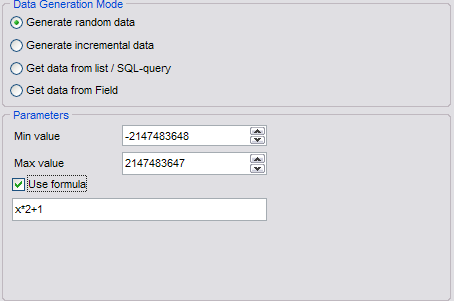
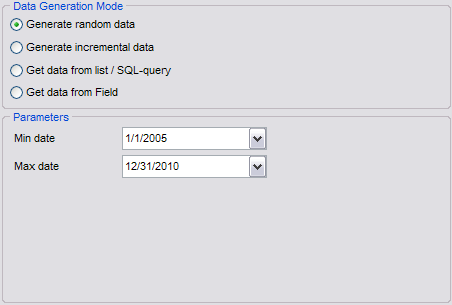
The EMS Data Generator for MySQL is a remarkable application designed to create test data for MySQL database tables, offering options to save and modify scripts. This versatile utility enables users to replicate a production-like database environment, facilitating the simultaneous filling of multiple MySQL tables with test data. Users can specify which tables and columns to target for data generation, establish ranges of values, and create MySQL character fields based on specific patterns. Additionally, it allows for the input of custom value lists or the selection of values through SQL queries, along with tailored generation parameters for each type of field. With its diverse features, the tool simplifies the process of generating MySQL test data effectively. Furthermore, the Data Generator for MySQL includes a user-friendly console application, enabling one-click generation of test data using pre-defined templates. This added functionality streamlines workflows and enhances productivity for database developers.
Description
The MySQL Migration Toolkit is a comprehensive software suite designed for converting data between various sources and MySQL, and it also facilitates reverse conversions. It offers impressive performance since it operates without relying on ODBC or other middleware solutions. With its command line functionality, users can easily automate, script, and schedule the data conversion tasks. Additionally, the toolkit provides users with the option for indirect conversion, giving them enhanced control throughout the process. This approach enables the program to create a local MySQL dump file, which contains the necessary MySQL statements for creating tables and populating them with data, rather than directly transferring the data to the MySQL server. For guidance on how to import this dump file into a MySQL database, you can find helpful resources online. After configuring your conversion settings and saving them to your profile, you can initiate the program in Quick Launch mode. Simply navigate to Windows Explorer and double-click the profile description file with your left mouse button to start the designated conversion process, which will automatically load the required settings from the specified profile. This streamlined process ensures that your data migration is efficient and user-friendly.
API Access
Has API
API Access
Has API




Integrations
RadiantOne
CData Sync
IBM Db2
InterBase
Kato
MySQL
Oracle Database
PostgreSQL
SQL Server
Integrations
RadiantOne
CData Sync
IBM Db2
InterBase
Kato
MySQL
Oracle Database
PostgreSQL
SQL Server
Pricing Details
$60 per year
Free Trial
Free Version
Pricing Details
$99 one-time payment
Free Trial
Free Version
Deployment
Web-Based
On-Premises
iPhone App
iPad App
Android App
Windows
Mac
Linux
Chromebook
Deployment
Web-Based
On-Premises
iPhone App
iPad App
Android App
Windows
Mac
Linux
Chromebook
Customer Support
Business Hours
Live Rep (24/7)
Online Support
Customer Support
Business Hours
Live Rep (24/7)
Online Support
Types of Training
Training Docs
Webinars
Live Training (Online)
In Person
Types of Training
Training Docs
Webinars
Live Training (Online)
In Person
Vendor Details
Company Name
EMS Software Development
Founded
1993
Country
Russia
Website
www.sqlmanager.net/products/mysql/datagenerator
Vendor Details
Company Name
Intelligent Converters
Founded
2001
Country
Russian Federation
Website
www.convert-in.com/sqlkit.htm
Product Features
Product Features
Database
Backup and Recovery
Creation / Development
Data Migration
Data Replication
Data Search
Data Security
Database Conversion
Mobile Access
Monitoring
NOSQL
Performance Analysis
Queries
Relational Interface
Virtualization



